One place to learn, practise and revise.

Courses that follow your syllabus, past papers marked against the real mark scheme, simulations you can get your hands on, and an AI tutor that knows the page you are on.
Courses

Lessons that follow your syllabus.

46 courses and 2,414 lessons, each built against its exam board’s specification: notes to read, flashcards to drill, and an assessment to check it stuck.

Browse the courses
AI tutor

Stuck on a step? Just ask.

Ask AI opens beside any lesson or question and already knows what you are looking at. It explains the step, sets you another to try, and marks written answers against the mark scheme.

Open Ask AI
Interactive simulations

Don’t just read it. Move it.

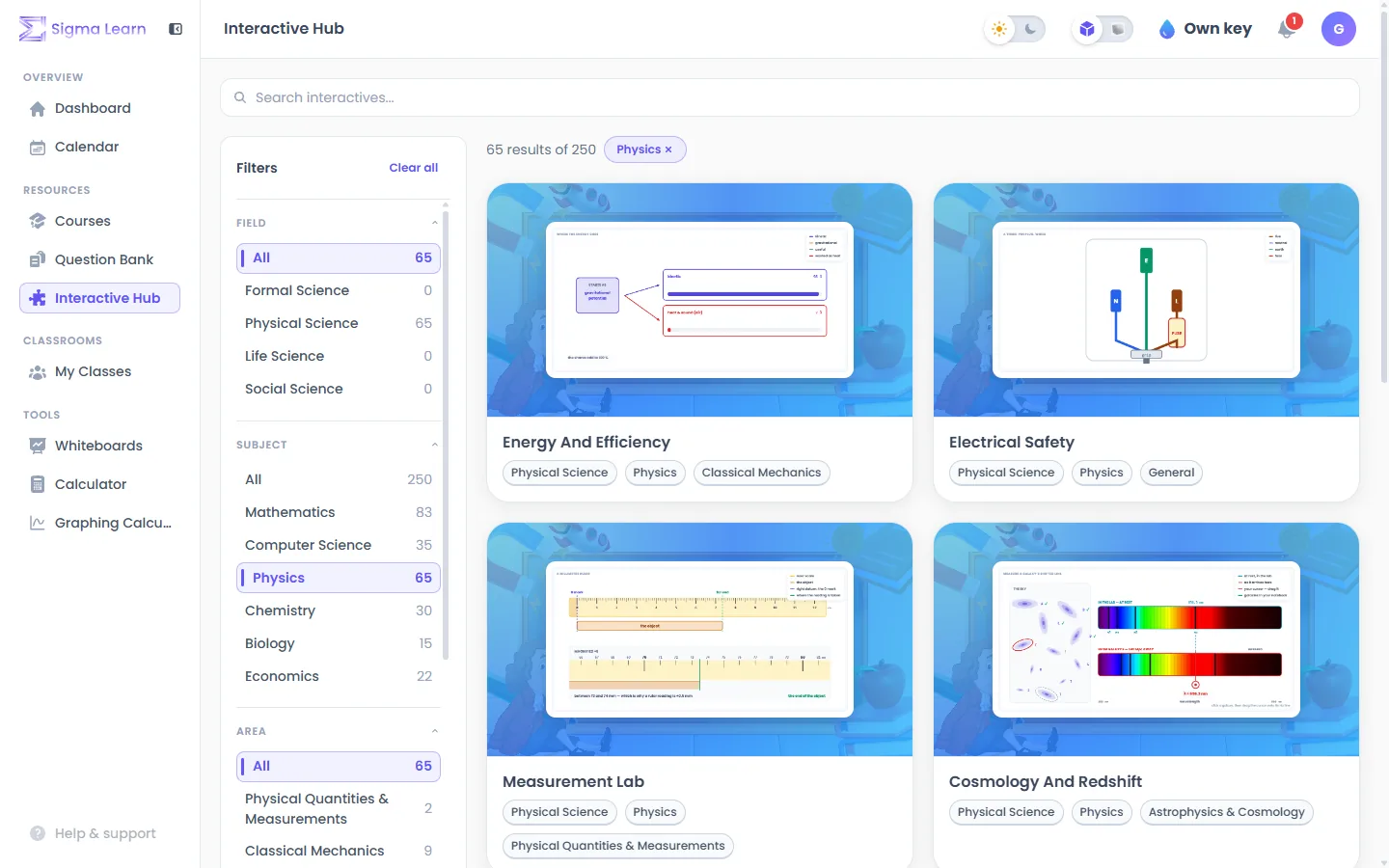
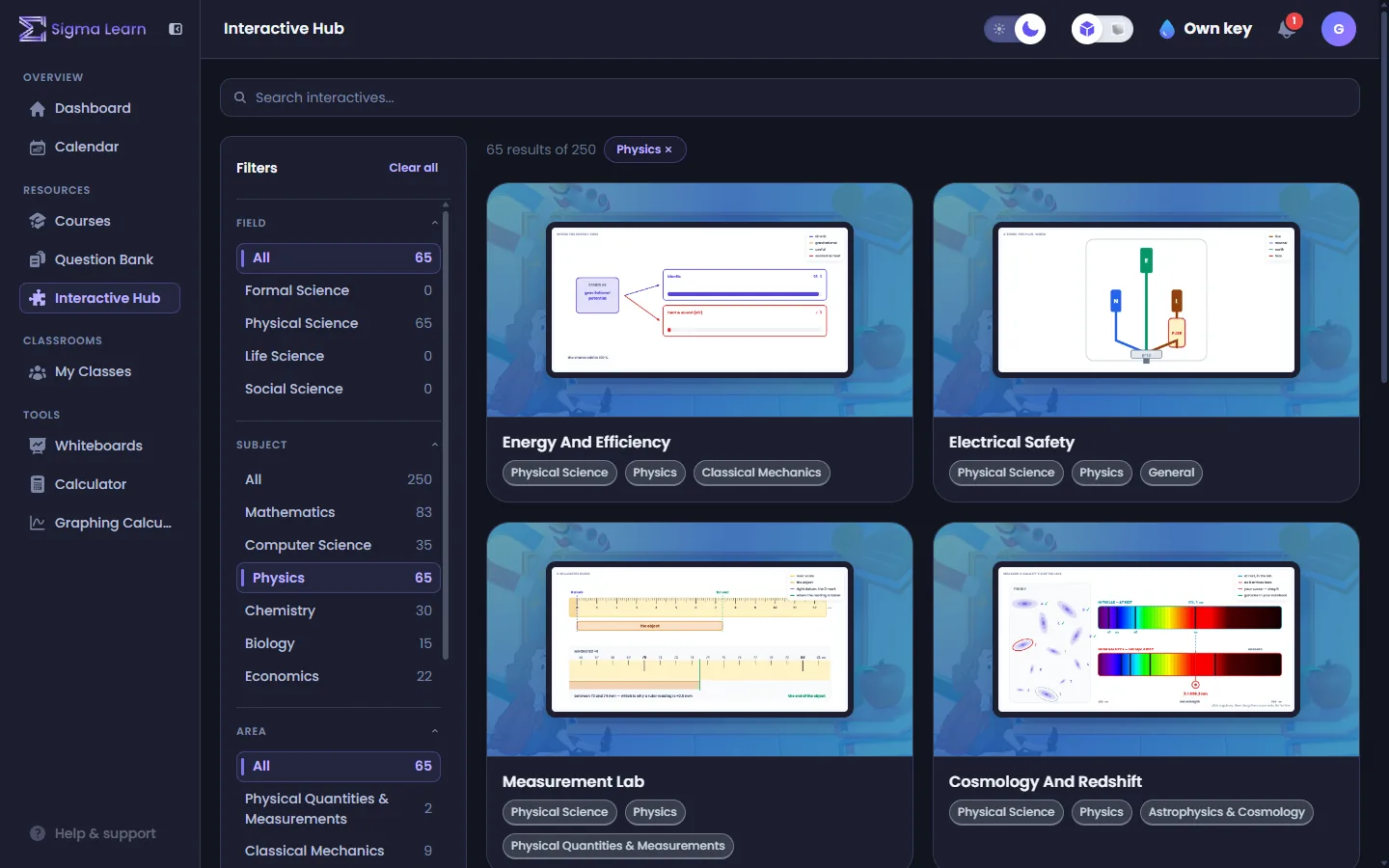
250 simulations you can drag, tune and break, across the sciences, maths, computing and economics. Ideas stick once you have changed them yourself.

Explore the Interactive Hub
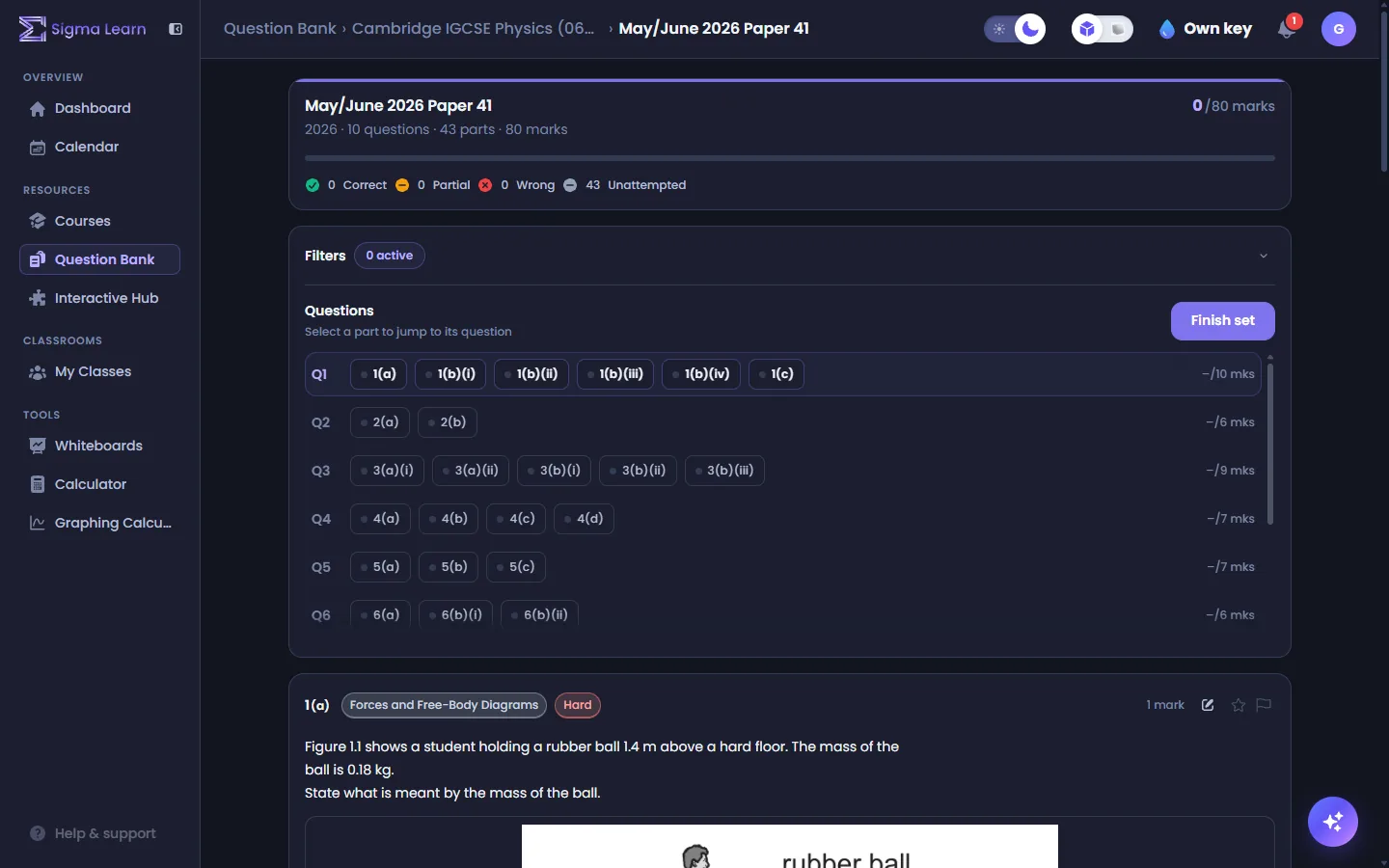
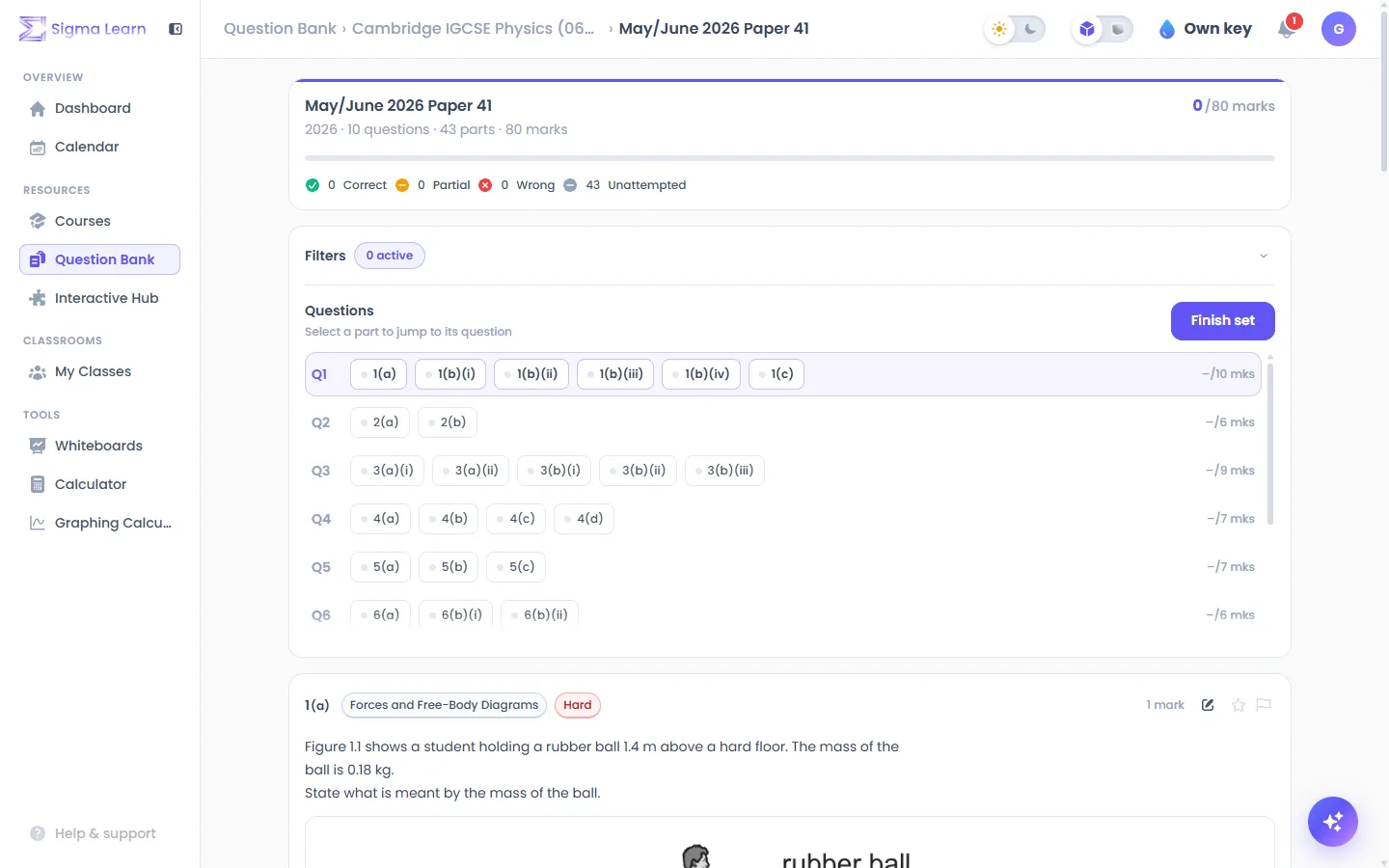
A past-paper question in Sigma LearnA past-paper question in Sigma Learn
The Interactive Hub in Sigma LearnThe Interactive Hub in Sigma Learn
Built for the exams you actually sit
Courses
46
Lessons
2,414
Exam questions
10,323
Interactives
250
What you get

Practise until exam day feels familiar.

Four things that usually live on four different websites, working together in one.

Question Bank

Past papers, one part at a time.

10,323 past-paper questions, split into parts and sorted by topic and difficulty. See a whole paper at a glance and go straight to what you keep getting wrong.

  • Filter by topic, difficulty, paper and your own results
  • Answer on screen the way the exam asks
  • Every part marked against the paper’s own mark scheme
Open the question bank
AI marking

Know exactly which marks you dropped.

Written answers are marked point by point against the paper’s own mark scheme, so you see what an examiner would have wanted — not just a tick or a cross.

  • Marking points shown one by one
  • Works on typed, drawn and handwritten answers
  • Free to try, included with Pro
Open Ask AI
Courses

Lessons that follow your syllabus.

46 courses and 2,414 lessons, each built against its exam board’s specification: notes to read, flashcards to drill, and an assessment to check it stuck.

  • Typeset maths, tables and worked examples
  • Flashcards and a marked assessment in every lesson
  • A notepad beside the lesson for your own working
Browse the courses
Whiteboards

A page to think on.

Boards of pages for your own working, with a lesson or a paper open beside the board. The page beside this is the real editor — draw on it. Nothing you draw here is kept.

  • Pen, highlighter, shapes, text, pictures and a ruler
  • A lesson or a past paper open beside your board
  • Every board kept in your account when you sign in
Open Whiteboards
My board · Page 1Try it · not saved
Interactive Hub

See the idea move.

250 interactives across the sciences, mathematics, computing and economics. Here is the best of each subject, live — pick one and use it right here.

Explore the Interactive Hub

The heart and circulation

Open in the hub
Inside Sigma Learn

What it looks like when you are in.

Real screens from the app, in the theme you are reading this in.
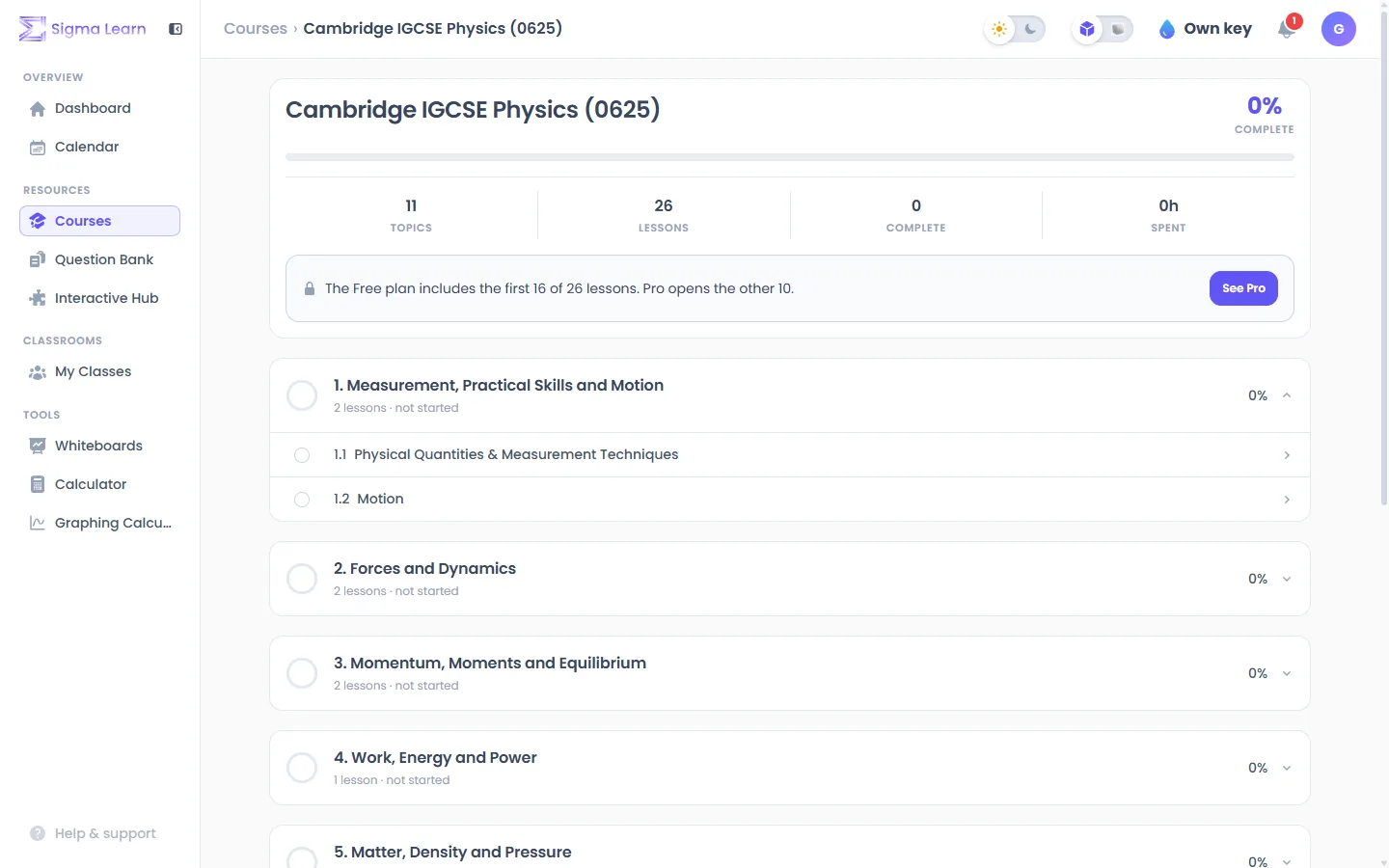
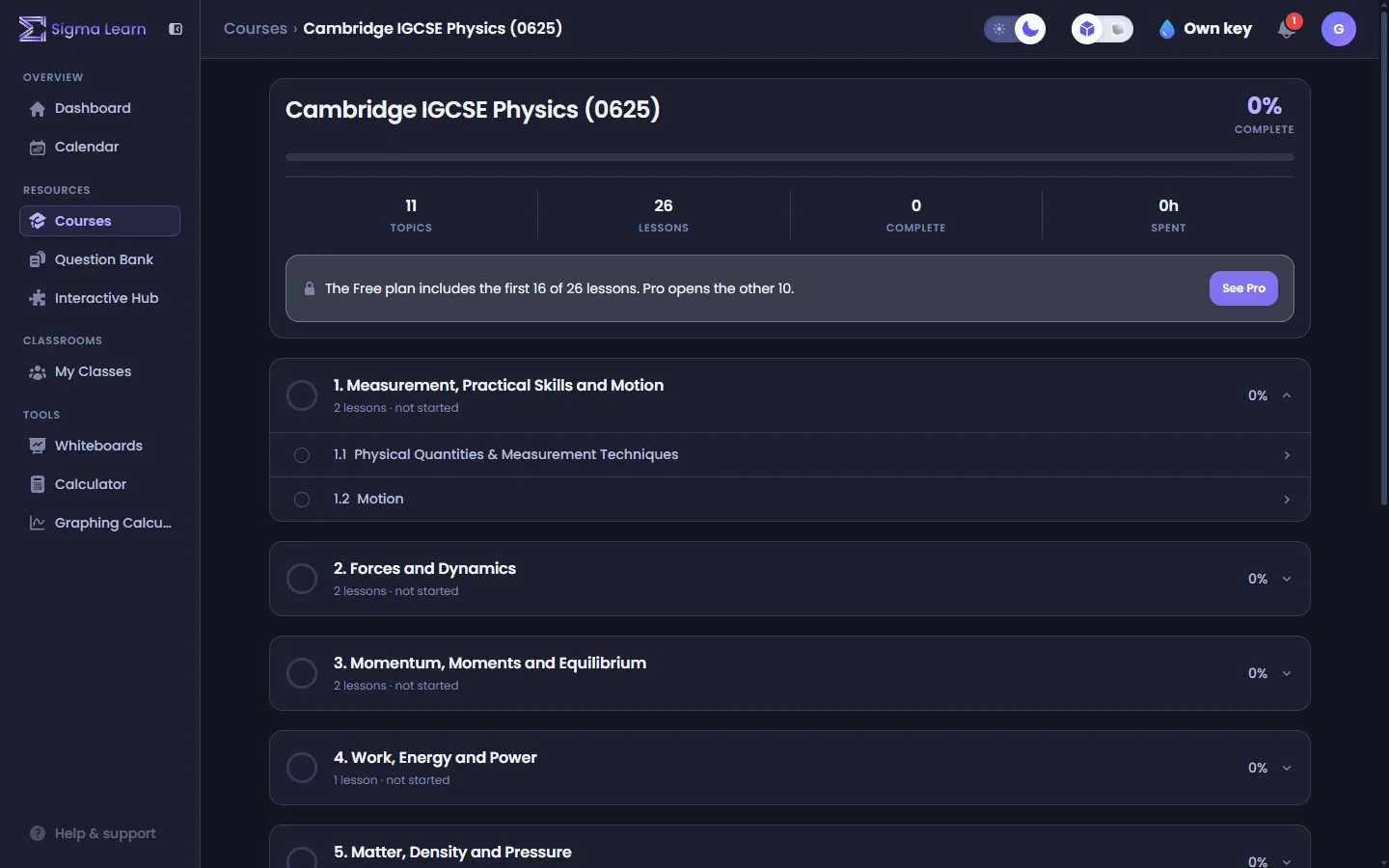
Courses in Sigma LearnCourses in Sigma Learn
A course, topic by topic: every lesson of the syllabus in order, and how far you have got.
Meet Siggy

A tutor that never minds being asked twice.

Siggy is the Sigma Learn wolf, and the face of Ask AI. Open it beside any lesson or question and ask the small question you actually have. It already knows what you are looking at.

How it works

From “where do I start” to “I’ve got this”.

  1. 01

    Pick your course

    Choose your qualification and subject. No account needed to look around.

  2. 02

    Learn, then practise

    Read the lesson, try the interactive, then answer real past-paper questions on that exact topic.

  3. 03

    Fix what you got wrong

    Marking shows the points you missed. Filter the bank to your mistakes and go again until they are gone.

Subjects

Six subjects, covered properly.

Each subject has courses for several exam boards, question banks built from real papers, and its own shelf in the Interactive Hub.

Browse the catalogue

Mathematics

11 courses · 9 question banks · 83 interactives

Physics

7 courses · 8 question banks · 61 interactives

Chemistry

7 courses · 5 question banks · 34 interactives

Computer Science

6 courses · 4 question banks · 35 interactives

Economics

7 courses · 6 question banks · 22 interactives

Biology

8 courses · 5 question banks · 15 interactives

Curricula

One platform, whichever exam you sit.

Sigma Learn teaches the subject once, properly, then follows each board’s own specification. These figures are counted from the catalogue every time this page loads; “in development” means exactly that.

Find your course

IGCSE

Cambridge and Edexcel

Live
Courses
12
Lessons
374
Question banks
12
Exam questions
4,013

International A Level

Cambridge and Edexcel

Live
Courses
13
Lessons
563
Question banks
12
Exam questions
6,243

AP

Advanced Placement

Live
Courses
3
Lessons
78
Question banks
13
Exam questions
67

IB

Diploma and Middle Years

In development

Dedicated IB Diploma and MYP courses and question banks are in development. Until they land, IB learners use the Interactive Hub and the matching topics in the A Level and AP courses.

SAT

Digital SAT Math

In development

A dedicated Digital SAT course and question bank are in development. Until they land, the mathematics courses and interactives cover the algebra, advanced math, geometry and data analysis the SAT tests.

The team

Created, fact-checked and verified by our team.

The content on Sigma Learn is written, fact-checked and verified by our own team before it reaches you.

  • Pavanpreet Gandhi

    Pavanpreet Gandhi

    University College London

    Statistics & Machine Learning

  • Chayapon Thunsetkul

    Chayapon Thunsetkul

    University College London

    Quantum Physics

  • Pichsinee Poladprao

    Pichsinee Poladprao

    University of Pennsylvania

    Computer Science & Economics

  • Adithep Pasricha

    Adithep Pasricha

    Columbia University

    Business Administration

Pricing

Free to start. Pro for every lesson, and AI without the setup.

Every question bank and interactive is free, and so is the first 60% of every course. Pro opens every lesson and adds AI that works out of the box.

Free

$0forever

All the practice, and most of every course.

  • The first 60% of the lessons in every course
  • Every question bank and past paper
  • Every interactive
  • My notes, points, streaks and progress
  • 7 AI markings and 3 Ask AI questions a week, with an account
Sign up free

Pro

Every lesson · AI included

$11.89/ month

Every lesson, and AI that just works.

  • Everything in Free
  • Every lesson in every course
  • AI tutor included
  • AI marking included — written and handwritten answers
Start with Pro

Compare the plans

On the way

What we are building next.

We would rather tell you than pretend. These are not in the product yet.

Coming soon

Dashboard

One page for your progress across every course and bank.

Coming soon

Calendar & planner

A study plan built around your exam dates.

Coming soon

Classroom

Classes, set work and marking for educators.

Questions

Frequently asked.

Do I need an account?
No. As a guest you can open every question bank and every interactive, and the first 60% of the lessons in every course; your progress is kept in that browser. A free account keeps your progress, points and whiteboards with you on any device.
Which exam boards do the courses follow?
Cambridge and Pearson Edexcel for IGCSE and International A Level, and the College Board for AP. The curricula section of the home page shows what is live for each.
How is my answer marked?
Choice, ordering, sorting and exact answers are marked instantly. Written, drawn and handwritten answers are marked by AI against the mark scheme.
Is the AI free?
A little of it. A free account gets 7 AI markings and 3 Ask AI questions a week; they don’t carry over, and the count starts again every Monday. A plan that includes AI gives much more. Guests need to sign in first.
What does Pro add?
Every lesson in every course, and the AI tutor and AI marking included — no key to set up. See pricing.
Do you sell my data or show ads?
No.

All questions and answers

Start revising in the next two minutes.

Sign up free and keep your progress, or look around first — no account needed.